
FigBoost Quick Image Export Pro
The fastest way to export optimized images from Figma. Compress, convert, and download — all without leaving the canvas.
Overview
Stop wasting time with clunky export workflows.
Quick Image Export Pro replaces your entire post-export pipeline. No more exporting from Figma, opening a compression tool, re-saving, renaming files, and zipping folders. One click. Done.
-
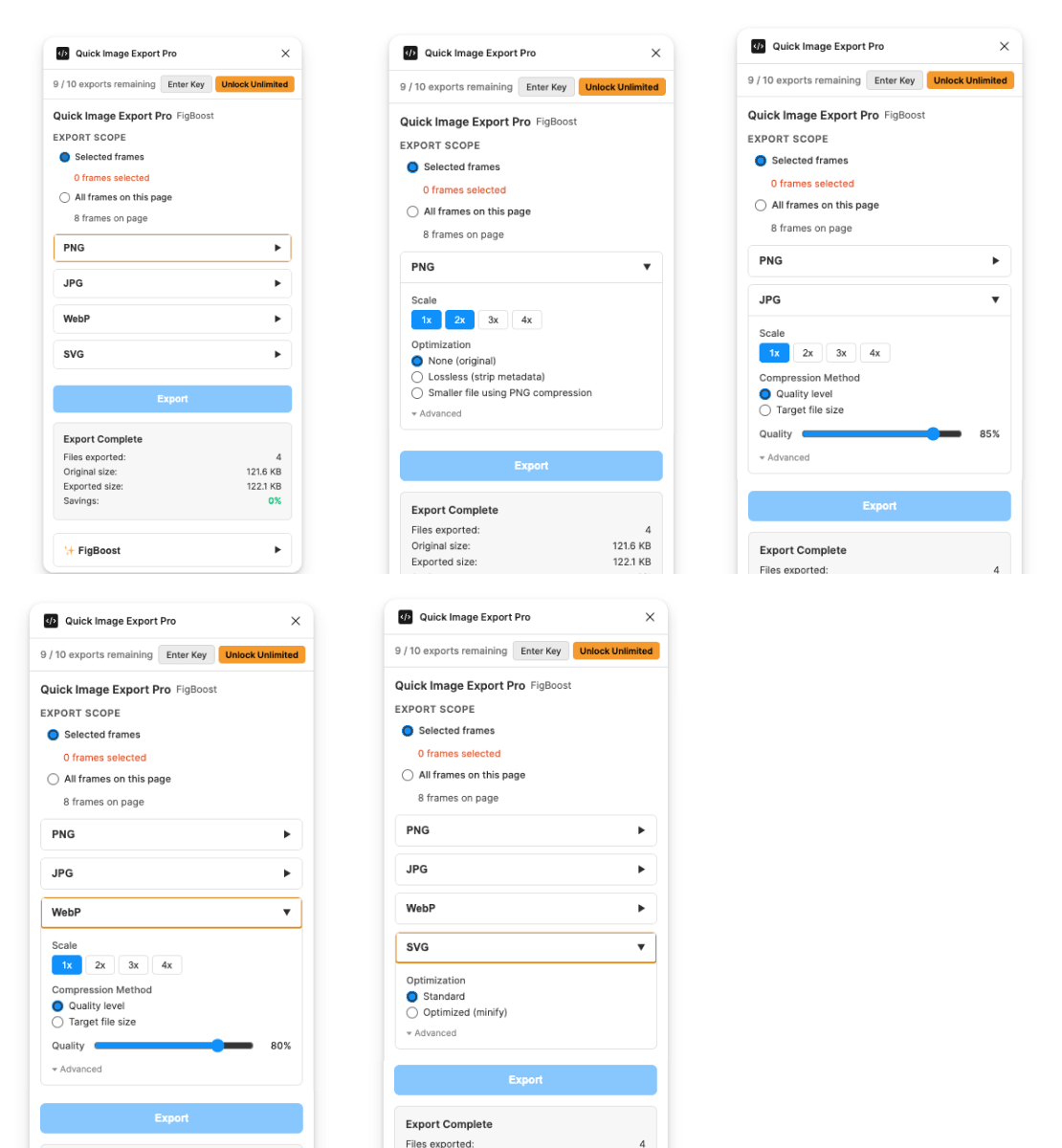
- 4 optimized formats — PNG, JPG, WebP, SVG
- Built-in compression — shrink PNGs up to 87% with zero noticeable quality loss
- Target file size mode — set an exact KB target for JPG/WebP and hit it every time
- 4 export scales — 1×, 2×, 3×, 4× with multi-select (export all sizes at once)
- Batch export — export selected frames or every frame on the page in a single run
- Auto ZIP packaging — multiple files download as one organized ZIP, instantly
- Smart file naming — prefix, suffix, lowercase, kebab-case, or snake_case
- SVG minification — strips metadata, whitespace, and unused attributes automatically
- Settings memory — your last configuration is saved and restored every session
Made with our Quick Animated Gif plugin, in about 2 seconds!!!!
Why designers love it:
"I used to export → open TinyPNG → download → rename → zip. Now it's one button."
Save hours every week, minutes every day!
- PNG Compression — Median-cut color quantization with 4 strength levels (256 → 32 colors). Choose your tradeoff between quality and file size.
- JPG/WebP Quality Control — Either set a quality percentage OR specify an exact target file size in KB. The plugin binary-searches to nail your target.
- SVG Optimization — Strips comments, collapses whitespace, removes empty attributes and Figma metadata. Clean SVGs ready for production.
- Multi-Scale Export — Select 1×, 2×, 3×, and 4× simultaneously. Get every resolution in one export, named automatically with @2x/@3x suffixes.
Built for speed:
Without Quick Image Export Pro:
- Export from Figma
- Open compression website
- Upload files
- Wait for processing
- Download compressed files
- Rename files manually
- Zip for handoff
With Quick Image Export Pro:
- Click Export
- . Done. ~5 seconds.
Perfect for:
- UI/UX Designers — export app assets at every scale, perfectly named for iOS/Android handoff
- Web Designers — hit exact file size budgets for Core Web Vitals without trial and error
- Marketing Teams — batch export campaign assets compressed and ready for upload
- Freelancers — deliver optimized, organized asset packages that impress clients
- Design Systems Teams — consistent naming conventions across thousands of icon exports
The technical details:
- PNG compression uses median-cut color quantization — intelligent palette reduction that preserves edges and transparency
- JPG/WebP target-size mode uses binary search re-encoding — finds the exact quality level that hits your KB target in 8 iterations or fewer
- ZIP files are built client-side — your images never leave your browser, never touch a server
- SVG optimization is regex-based minification — no parsing overhead, instant results
- All processing uses OffscreenCanvas and CompressionStream — native browser APIs, no WASM, no slow libraries
Pricing
-
Free: 10 exports/month
-
Pro: $9.99/Month
-
$39.99/Yearly